Migrant Eligible Program Status (MEPS) - Read Only
The Migrant Eligible Program Students (MEPS) extract data was introduced for the 2025–26 academic year to track students eligible for the Title I Part C Migrant program. LEAs use this extract to verify and update student migrant status, which is now derived from weekly matches between CALPADS and the Migrant Student Information Network (MSIN). Aside from the extract, the Student detail section will provide a READ-ONLY access to current migrant Ed information of a matched student.
MEPS Essentials
None. Derived from State Matching
- Student Search (To search student and access student detail page)
- SPRG View
EOY 1
N/A
N/A
N/A
N/A
N/A
LEA Program Details
The Migrant Eligible Program Status (MEPS) container appears on the Student Details page. The page opens with the MEPS container in the collapsed position. Clicking the down arrow on the containers displays the individual program records for the selected student. The system will display all MEPS records by default. The selected student’s historical records will be displayed in reverse chronological order.
Users may have the ability to only view/sort MEPS records in this container if the SPRG View role is assigned by your LEA Administrator.
Navigating to the MEPS User Interface
A user first searches the student either through the SSID or demographic search process to get to the Student Details page. By default, the LEA Program container will be in the collapsed position. Clicking the container header displays the individual program records for the selected student.
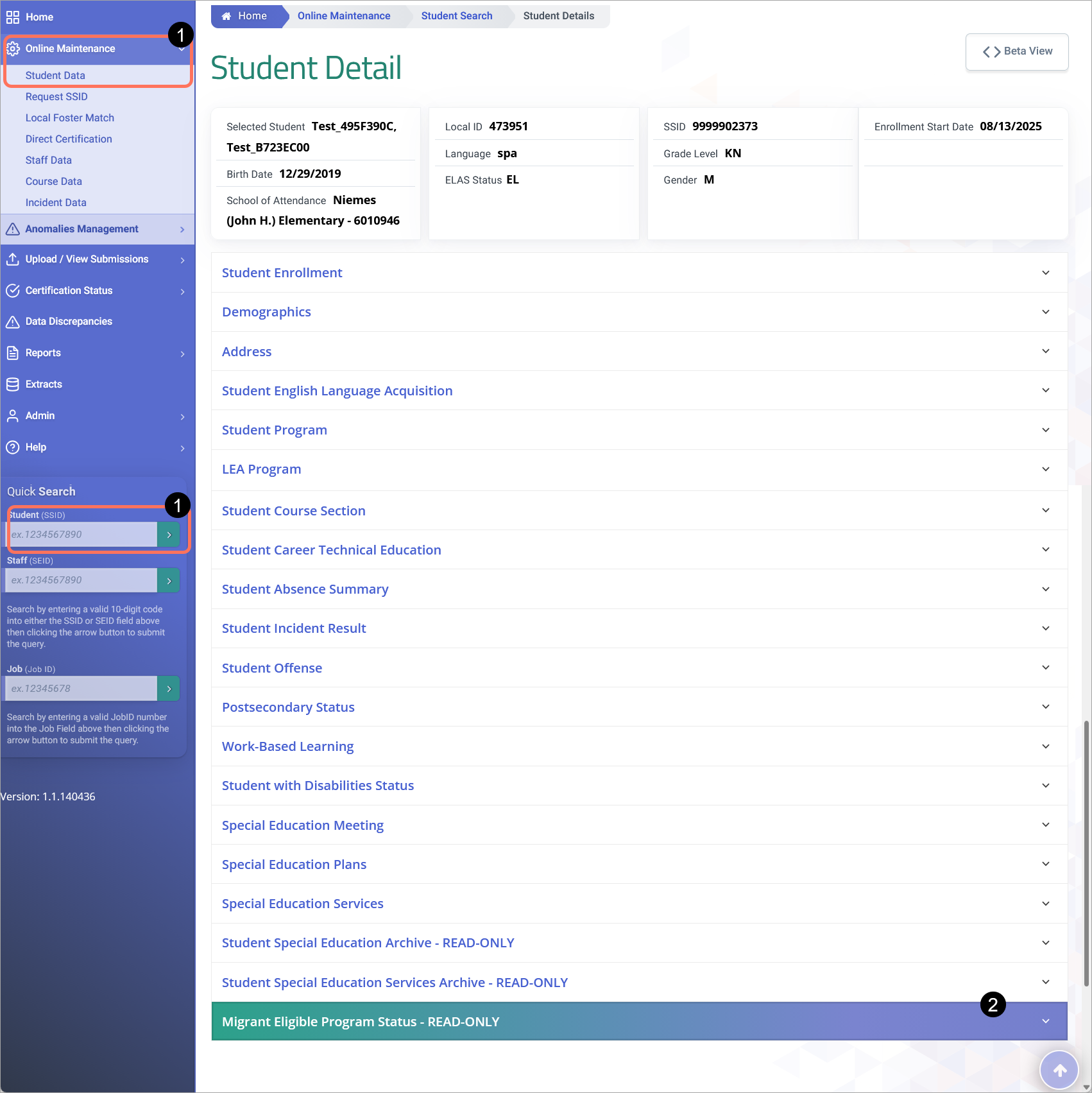
MEPS Container
The MEPS container UI is depicted below followed by its screen elements table.. Following the screen elements tables are the user interaction section and the system operations section with the available system functions, requirements and possible processes that may occur through these interfaces.

Clicking on the LEA Program header expands the container and reveals existing records.
Container column headers enable users to sort or filter existing incident records based on parameters set. Open button enable users to view details of the LEA Program record. Record can only be modified if the record is owned by the LEA the user is associated to and the user has LEA-level security. Since the container only shows limited records at a time, the page buttons allow users to move to the next set of records. If a user is authorized to add and edit records, the user will be able to click on Add a New Record button and add a record.MEPS Container Details
The LEA Program Details modal is depicted below followed by a screen elements table. If the user clicks to open an existing record, the Student Programs page appears with the values from the student’s selected record. If the Add a New Record button is clicked, all fields on the page will be populated with Null values when the page opens. LEA-level users will be able to modify the School of Attendance, but School-level users will not. All other input will conform to the Screen Elements described below.

| # | Field | Required | Validation/Business Rule |
|---|---|---|---|
| 1 | Reporting LEA | Y | Default to user’s current Org; only present values related to user’s Org. Field must meet the defined CALPADS’ data validation and processing requirements. |
| 2 | Academic Year ID | Y | Must be current AY Only |
| 3 | LEA Education Program Code | Y | Use Program Code 194. |
| 4 | Expanded Learning Program Days | Y | 1) If the student was enrolled in the program, but did not participate, the value of zero is expected. 2) The value must be a whole number (no decimals), so LEAs should round up to the nearest integer (e.g. if the student participated for 5 minutes, then report 1 full day). This SPRG record must overlap an enrollment at a school within the LEA; however, it may include days participated outside of the enrollment, but still within the LEA's school year. |
| Action Buttons | |||
| A | Delete Record | N/A | If clicked, the system will delete the student’s program record from the ODS when the user confirms the deletion. “Are you sure you want to delete this record? Yes/No” |
| B | Cancel | N/A | If clicked, the modal will close and the system will display the Program Container page. |
| C | Post | N/A | If the user clicks the button, system will post records. If not successful, “Post failed” with accompanying error message will appear. |
LEAP Additional Resources
| Resource | Description |
|---|---|
| CALPADS Flash #305 | New 2025-26 Data Collections for Attendance Recovery Program and Expanded Learning Programs. |
| ELP At a Glance | Summarized content about Expanded Learning Program |
| CALPADS Error List | Look for LEA Program Errors. |
| CALPADS File Specifications | Look for Student LEA Program Tab. |